
How to Listen to Spotify Together: Jam, Blend & More

Last Updated on March 2nd, 2026 at 12:44 pm

How to Listen to Spotify Together Jam, Blend & More

Spotify’s Jam feature lets you listen to music together with friends in real time, whether you’re in the same room or miles apart. Premium subscribers can start a Jam session from any song or playlist, allowing everyone to add tracks, skip songs, and control playback together. Beyond Jam, Spotify offers collaborative playlists, Blend, direct messaging, and Friend Activity to make shared listening simple. You can also use third-party platforms like Discord, JQBX, and Stationhead for synchronized group sessions outside the app.

Continue reading →


How to Copy a Spotify Music Name (Quick & Easy Guide)

Last Updated on March 3rd, 2026 at 12:21 pm

How to Copy a Spotify Music Name (Quick & Easy Guide)

Trying to copy a Spotify music name shouldn’t feel harder than finding the song itself. But if you’ve ever opened the app and realized you can’t simply highlight and copy the title, you’re not alone. Whether you want to paste a track into an Instagram caption, credit a song in a YouTube description, or save it for later, Spotify doesn’t make direct text copying obvious—especially on mobile.

The good news? There are a few quick workarounds that make it easy to copy a Spotify music name in seconds. In this guide, you’ll learn the simplest methods for both mobile and desktop, plus a few smart tricks to avoid messy links or formatting issues. Let’s get started.

Continue reading →


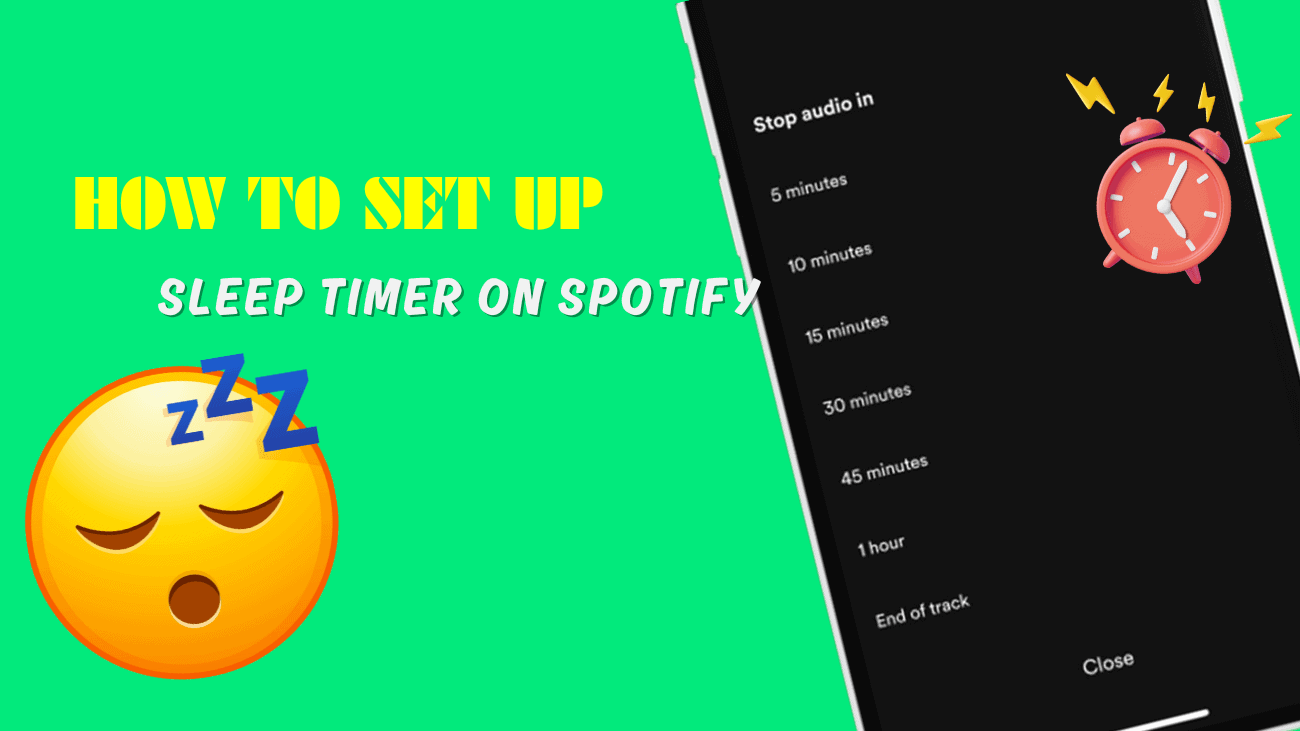
Falling asleep to your favorite playlist or podcast sounds relaxing—until you wake up at 3AM and Spotify is still playing. That’s exactly why the Spotify sleep timer exists. This built-in feature lets you automatically stop music or podcasts after a set amount of time, so you don’t drain your battery, waste data, or interrupt your sleep cycle.

But here’s the problem: many users can’t find it, don’t know how to turn it on, or think it’s missing entirely. In this guide, you’ll learn exactly how to use Spotify sleep timer step by step, whether you’re on iPhone or Android, plus what to do if it’s not working the way it should. Let’s get your late-night listening under control.

Continue reading →


You open Spotify, tap on a familiar playlist, and suddenly something feels off. A song you played yesterday is gone, greyed out, or missing entirely. If you’ve ever wondered why Spotify songs disappear, you’re definitely not alone—and no, it’s usually not random. This happens to millions of users and is often caused by licensing changes, regional restrictions, hidden filters, or simple app sync issues.

The good news is that most disappeared songs aren’t permanently lost. In many cases, they’re just unavailable, hidden, or replaced by a different version. In this guide, we’ll break down the real reasons Spotify songs disappear, show you how to figure out what actually happened, and walk you through practical fixes to recover missing tracks and playlists. You’ll also learn how to prevent it from happening again, so your music stays right where it belongs.

Continue reading →


If your Spotify Web Player not working message keeps popping up, you’re not alone. Whether it refuses to load, shows a DRM error, or simply won’t play music, this issue can be frustrating — especially when you just want quick access from your browser without opening the desktop app.

The good news? Most Spotify Web Player problems are caused by simple things like browser settings, cache issues, extensions, or outdated software. In this guide, you’ll learn exactly why the Spotify Web Player isn’t working and how to fix it step by step, so you can get back to streaming in minutes.

Continue reading →


Imagine enjoying ad-free listening, offline downloads, unlimited skips, and higher audio quality without spending a single cent — at least for now. Whether you’re a long-time free user curious about the upgrade or someone looking to test Spotify before committing, the Spotify Premium Free Trial is your golden ticket to an uninterrupted music experience.

Ready to silence the ads and unlock the full Spotify experience?
Start your Spotify Premium Free Trial today and feel the difference instantly.

Continue reading →


What Is the Most Streamed Song on Spotify Right Now?

Last Updated on February 10th, 2026 at 12:25 pm

What Is the Most Streamed Song on Spotify Right Now

Curious music fans and playlist creators constantly ask one burning question: what is the most streamed song on Spotify right now? Spotify tracks billions of plays every day, turning casual listens into massive cultural milestones that define eras in music. The current all-time leader has held the throne for years, racking up streams that most artists can only dream of.

In this article, we reveal the reigning champion. Let’s explore why it dominates, look at the closest challengers, and explain the factors that keep songs climbing the all-time rankings. Whether you love pop anthems, viral TikTok sounds, or timeless hits, these numbers show how streaming shapes modern music success.

Continue reading →


Downloading music from Spotify sounds tempting—but is SpotDL actually safe to use? In this SpotDL review, we take a close look at how the tool works and whether it puts your device or account at risk. With so many Spotify downloaders available, it’s easy to choose one without knowing the downsides. This SpotDL review covers safety, legality, and key limitations you should understand first.

Read on to finish this SpotDL review and decide if SpotDL is worth trying or better avoided. Let’s dive in!

Continue reading →


Spotify isn’t just a place to stream music—it’s also a social platform where you can follow friends, discover what they’re listening to, and collaborate on playlists together. If you’re new to Spotify’s social features, figuring out how to add someone on Spotify can feel confusing at first, especially since there’s no traditional “friend request” button.

In this guide, we’ll walk you through every practical way to connect with people on Spotify in 2026, from following friends by username or profile link to using collaborative playlists and Facebook connections. By the end, you’ll know exactly how Spotify’s social system works and how to use it to discover more music without running into common mistakes.

Continue reading →


Spotify makes discovering music easy, but explicit lyrics don’t always fit the moment. Whether you’re listening at work, in the car, or sharing your account with family, knowing how to turn off explicit content on Spotify helps you keep your listening experience clean and stress-free without constantly skipping tracks.

Spotify has a built-in filter that blocks songs marked with the “E” label across your account. In this guide, you’ll learn how to disable explicit content on Spotify, what the setting actually controls, and how to make sure it stays off on all your devices.

Continue reading →